

This project ran for a month and a half, including a pre-production phase where we planned, iterated, and eventually built one of the most technically diverse game slices I’ve been part of. I worked across VFX, shaders, procedural tool creation, and animation scripting — and for the first time, I saw my work connect across systems in a production setting. It was also the project where I made my very first team-based VFX, which gave me a huge love for stylized feedback.
🎮 Play Spite Catharsis on itch.io
Technical Breakdown
Here’s a breakdown of what I made and what I learned — both technically and personally:
💧 First VFX – Water Projectile
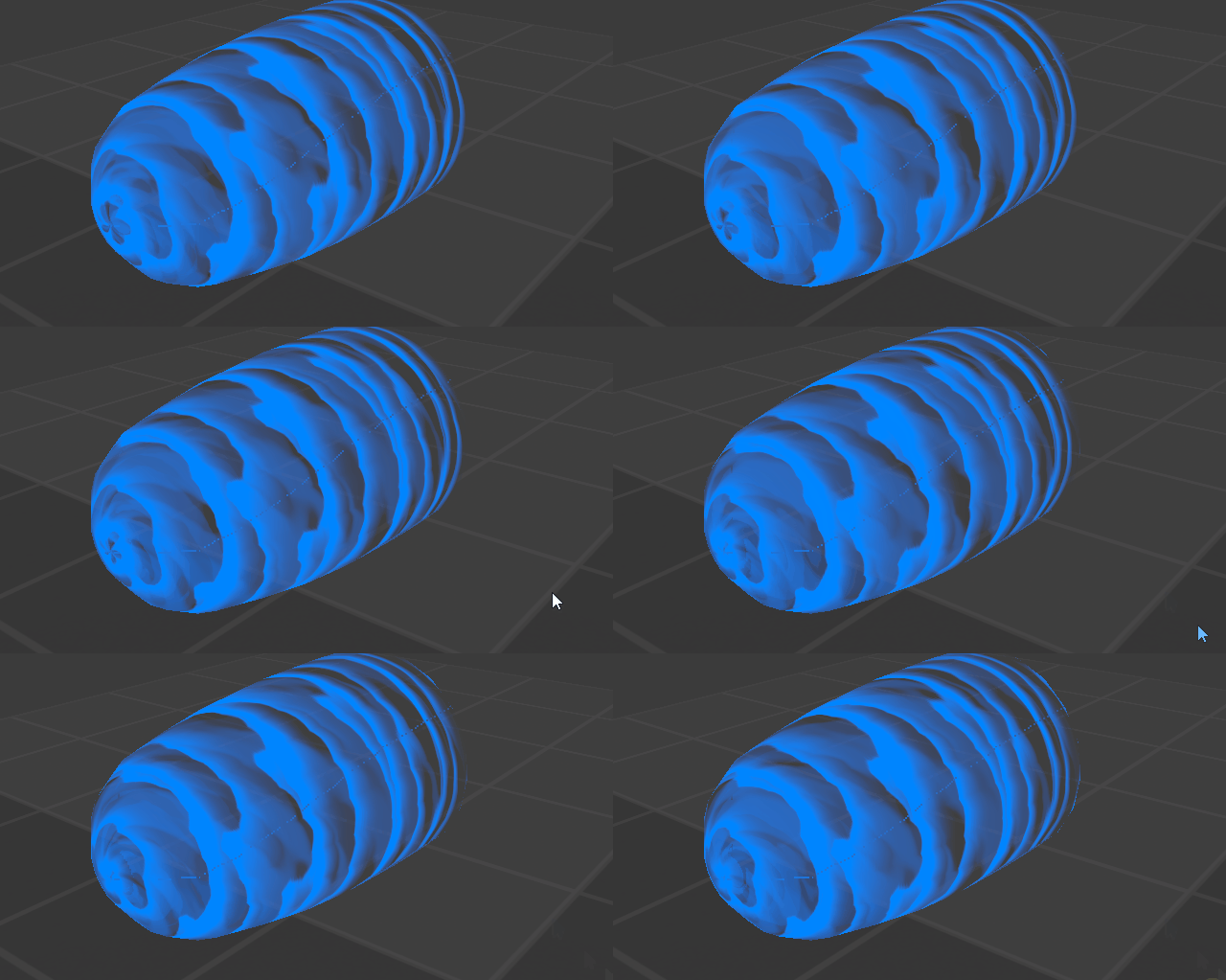
What I learned:
- How to layer meshes to create convincing motion
- Connecting HLSL into material logic pipelines
- Wrestling with UV seams and polar distortion (I got very stuck there at one point!)
- Working with Substance 3D Designer for the first time — designing custom textures specifically for this effect
It felt like a proper production step, and it’s still a milestone for me.
🪨 Procedural Rubble Tool – Houdini RBD Automation
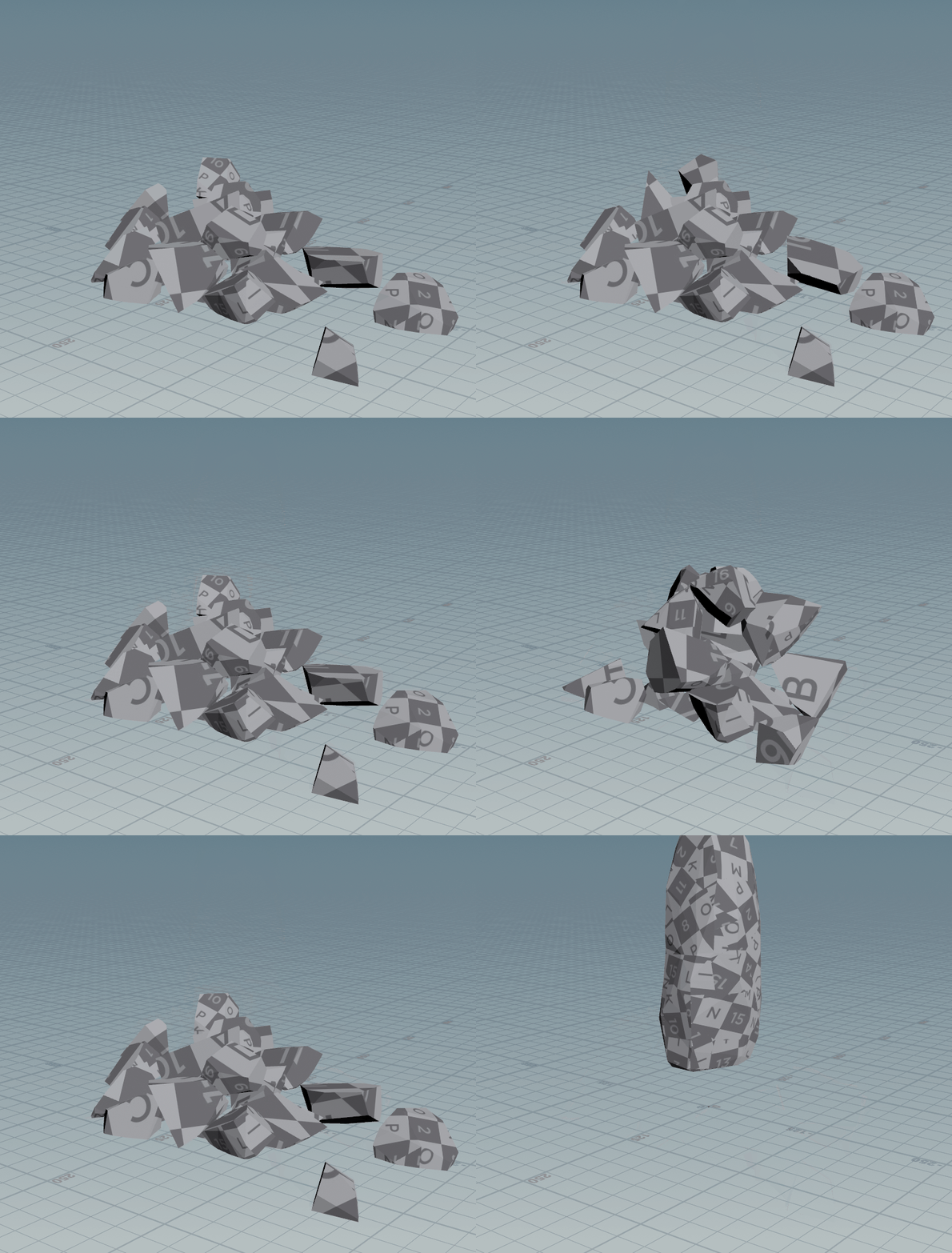
I wanted to build something that non-technical teammates could use — so I made this tool in Houdini to automatically take a folder of FBX files and turn them into falling rubble with physics.
Technical approach:
- Uses a filepattern node to pull in all files:
$HIP/geo/myRubbleFolder/*.fbx - Loops over them using For-Each by file path
- Loads each into a file SOP with a
detail()expression:
detail("../filepattern1", "filelist", @iteration, "string") - Each piece is fractured with RBD Material Fracture and dropped into a simple gravity sim
Result: Just drop in a bunch of meshes and hit go. Zero manual setup required.
🤖 FK Hand Tool – Maya Rigging Automation
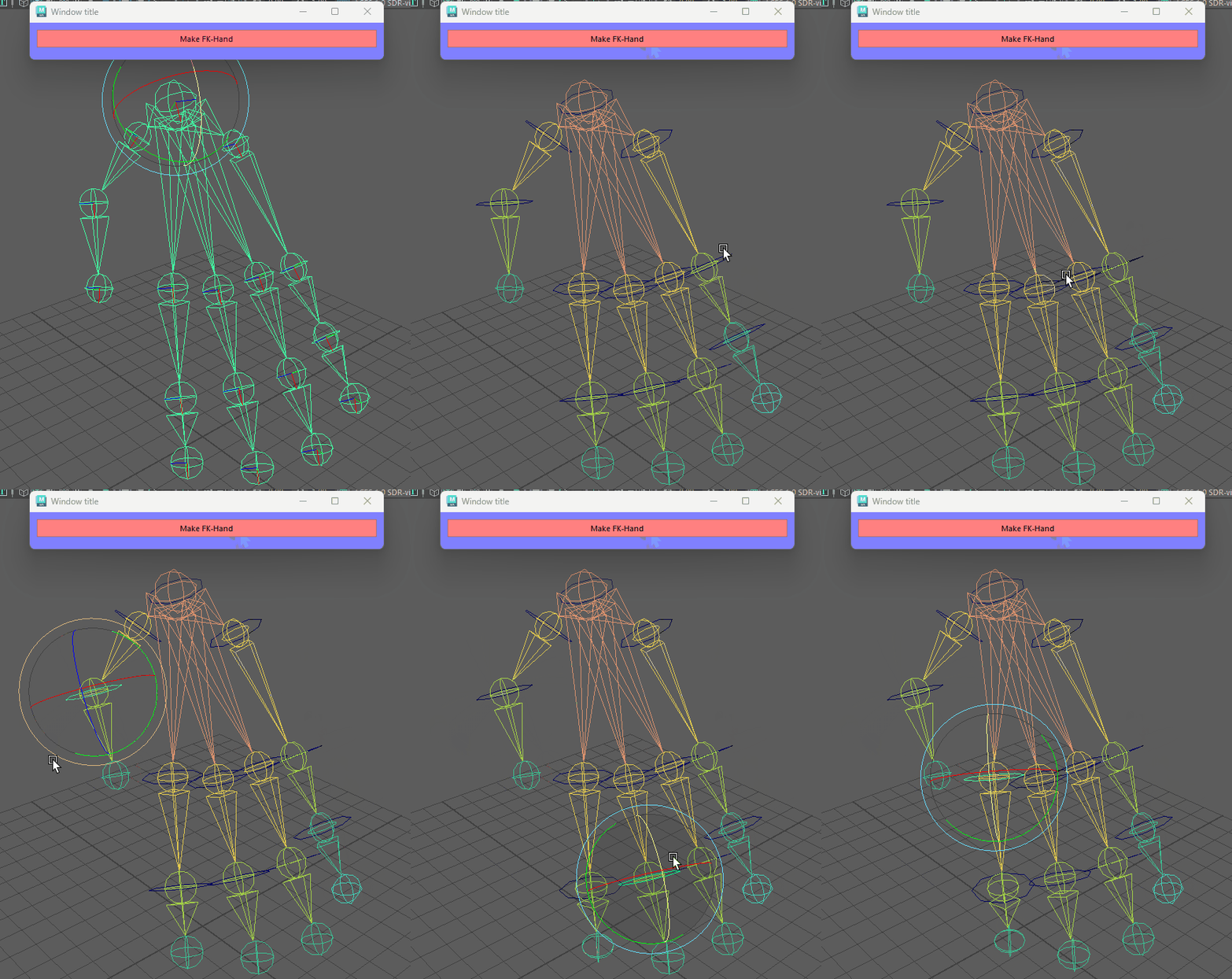
This tool was made to automate finger rigging in Maya. Instead of setting up each FK chain by hand, it builds controller hierarchies starting from any selected knuckle. It saved our team a ton of time and reduced errors in the rigging stage.
🧠 Technical Breakdown:
- Uses Maya’s Python API to find joint hierarchies starting from selection
- Automatically creates FK controllers and zeroed offset groups
- Snaps each controller to its joint (position + rotation)
- Applies parent constraints (maintain offset off)
- Parents controllers hierarchically (clean FK chain)
- Includes a custom UI so animators can launch it easily
📜 Full Python Script:
import maya.cmds as cmds

def create_fk_finger_from_knuckle(scale=1.0, ctrl_shape="cube"):
    selection = cmds.ls(selection=True, type='joint')
    if not selection:
        cmds.error("Please select a knuckle (joint) to start.")
        return

    knuckle = selection[0]
    joints = cmds.listRelatives(knuckle, allDescendents=True, type="joint")
    if not joints:
        cmds.error("No child joints found under the selected knuckle.")
        return

    joints.reverse()
    joints.insert(0, knuckle)
    joints.pop()

    controllers = []
    offset_groups = []

    for joint in joints:
        ctrl_name = f"{joint}_ctrl"
        ctrl = cmds.circle(name=ctrl_name, degree=1)[0]
        cmds.matchTransform(ctrl, joint, pos=True, rot=True)
        cmds.scale(scale, scale, scale, ctrl)
        cmds.rotate(0, "90deg", 0, ctrl)
        offset_grp = cmds.group(ctrl, name=f"{joint}_offset_grp")
        cmds.delete(cmds.parentConstraint(joint, offset_grp))
        cmds.makeIdentity(ctrl, apply=True, rotate=True, translate=True, scale=True)
        cmds.parentConstraint(ctrl, joint, mo=True)
        controllers.append(ctrl)
        offset_groups.append(offset_grp)

    for i in range(1, len(offset_groups)):
        cmds.parent(offset_groups[i], controllers[i - 1])

    if controllers:
        cmds.parentConstraint(controllers[0], knuckle, mo=True)

    print(f"FK setup complete starting from knuckle: {knuckle}")

class Window(object):
    def __init__(self):
        self.window="Window"
        self.title="FK Tool"
        self.size=(500,500)

        if cmds.window(self.window, ex=True):
            cmds.deleteUI(self.window, wnd=True)

        self.window = cmds.window(self.window, t=self.title, wh=self.size)
        cmds.columnLayout(adjustableColumn=True, mar=10, bgc=(0.5,0.5,1))
        cmds.button(l="Generate FK Chain", c=self.CreateFKFingerCommand, bgc=(1,0.5,0.5))
        cmds.showWindow()

    def CreateFKFingerCommand(self, *args):
        create_fk_finger_from_knuckle()
        print("FK chain generated.")

Window()
❤️ Health Shader – Animated Pulse Feedback
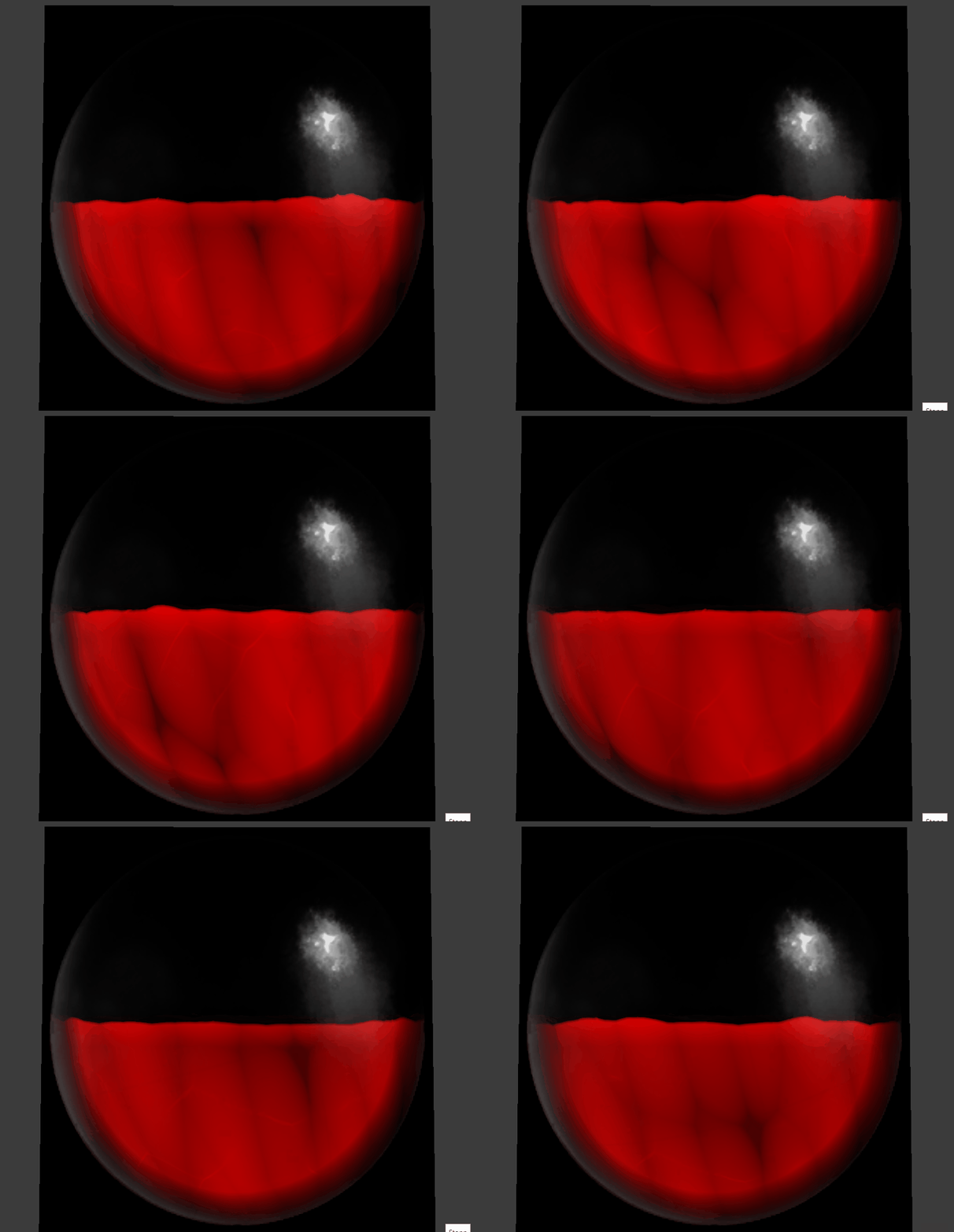
This shader was all about building something that feels alive. It reacts to a healthValue parameter and pulses over time like a glowing orb infused with heartbeat logic.
Key techniques:
- Custom
HeartPumpWave()function to simulate pulse rhythm - Polar UV distortion and swirl via
RotateUV() - Scrolling vein masks, alpha fading, and line glow effects
- Dynamic color interpolation based on health percentage
Core pulse function:
float HeartPumpWave(float t) {
  return 0.9 + 0.2 * (sin(t * 0.6 * 6.28) + sin(t * 1.2 * 6.28));
}
⚔️ Weapon Swipe VFX – Flipbook Integration
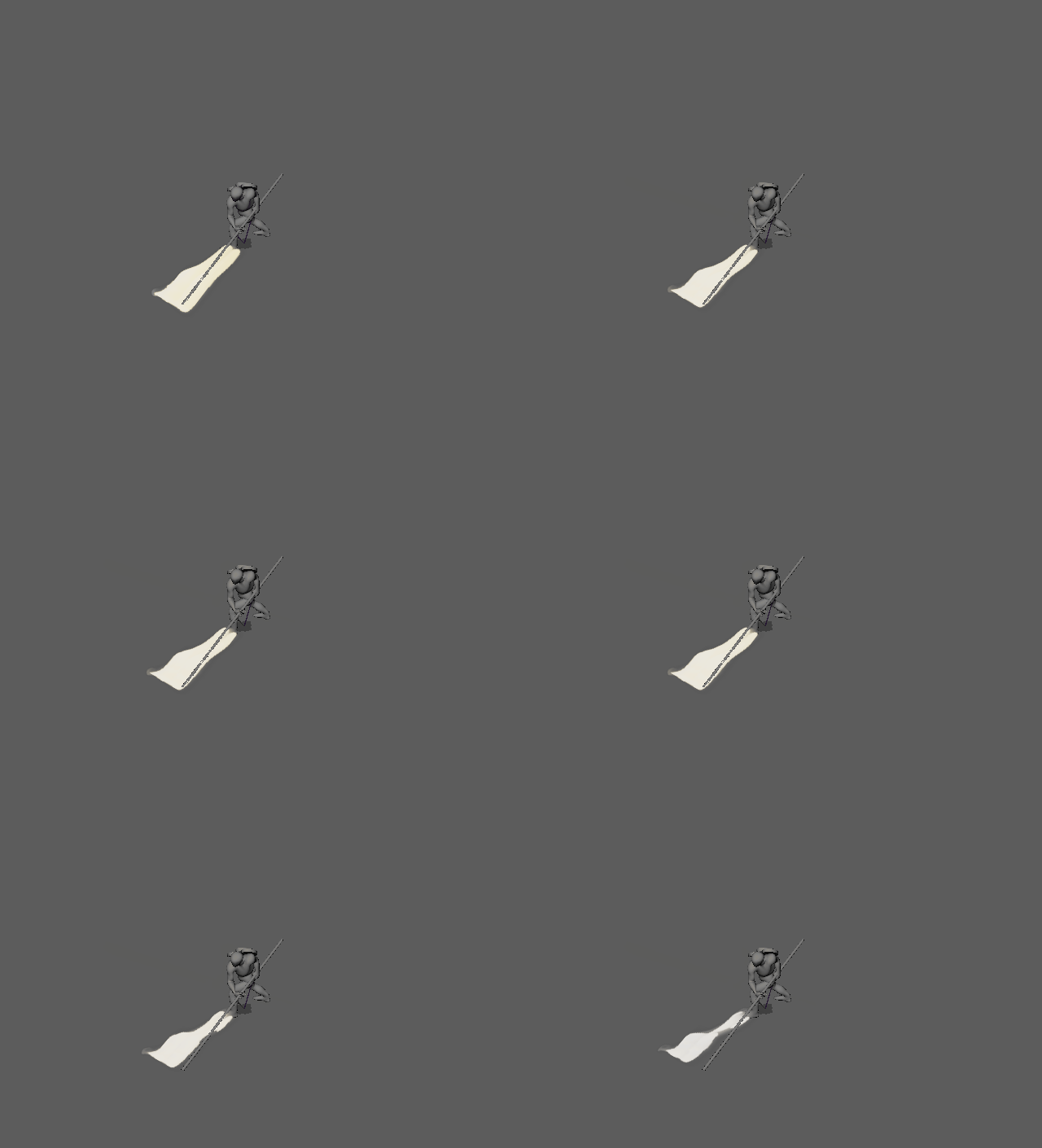
This effect came from a simple idea: “What if a sword swipe felt like it cracked the air?”
I simulated a slash in EmberGen, rendered it as a flipbook texture, and hooked it into our custom DirectX 11 engine using an HLSL shader.
Flipbook sampling logic:
int frame = (int)(time * playbackSpeed) % totalFrames;
float2 uvOffset = CalculateFlipbookOffset(frame, gridSize);
float4 flipbookSample = tex.Sample(sampler, uv + uvOffset);
📚 What I Learned: Communication Matters More Than Code
The technical implementation worked — but our team communication didn’t. I failed to clearly explain the effect to my TA partner early on. They built something different based on their interpretation, and we didn’t catch the misalignment until late in the process.
The effect shipped, but not in the form I originally envisioned.
That mistake taught me more than the shader did. Next time, I’ll communicate clearer, show visual references sooner, and avoid making assumptions — even when the idea seems obvious in my head.
🎮 Try It Yourself
Want to see these systems in action? Play Spite Catharsis on itch.io and experience the VFX, tools, and shaders working together in-game.
Final Thoughts
This project was a turning point for me. I learned that technical skills matter — but so do communication, iteration, and building tools that empower your team. Every mistake became a lesson, and every tool I built made the next one easier.
If you’re working on game development projects and want to chat about VFX, procedural tools, or shader work, feel free to reach out!